Handbook · Chapter 2 of 13
Chapter 2
✨ Create
Every way a recipe begins — describe it, snap it, import it, or write it yourself.
Updated September 10, 2026
On this page
2.1 The create sheet2.2 Generate a recipe2.3 Snap your fridge2.4 Import from a link2.5 The recipe browser2.6 Write your own2.7 Recipe photo styles2.8 Recipes in your language2.9 Share to Sprig from another appThe create sheet
Tap the big leaf button and Sprig asks one question: what are you cooking up? Snap a photo, chat it through, generate from a craving, import a link, write it yourself, or plan a whole cooking day — every road into a recipe starts here.
📍 the Home tab · open in Sprig →
Tap a picture to zoom
Generate a recipe
Describe a craving — "something cozy with chicken and not much cleanup" — and Sprig writes a complete recipe around it: photo, ingredients, steps, nutrition. The more you tell it, the better it cooks.
📍 the create sheet → Generate · open in Sprig →


Tap a picture to zoom
Snap your fridge
Point your camera at the fridge, the pantry, or a dish you loved, and Sprig works out what you can make with it. On the free plan snaps count as chats.
📍 the Home tab · open in Sprig →


Tap a picture to zoom
Import from a link
Paste a link from any recipe site — or a photo, or a file — and Sprig pulls the recipe in cleanly: no ads, no life story, just the ingredients and steps in your library.
📍 the create sheet → Import · open in Sprig →


Tap a picture to zoom
The recipe browser
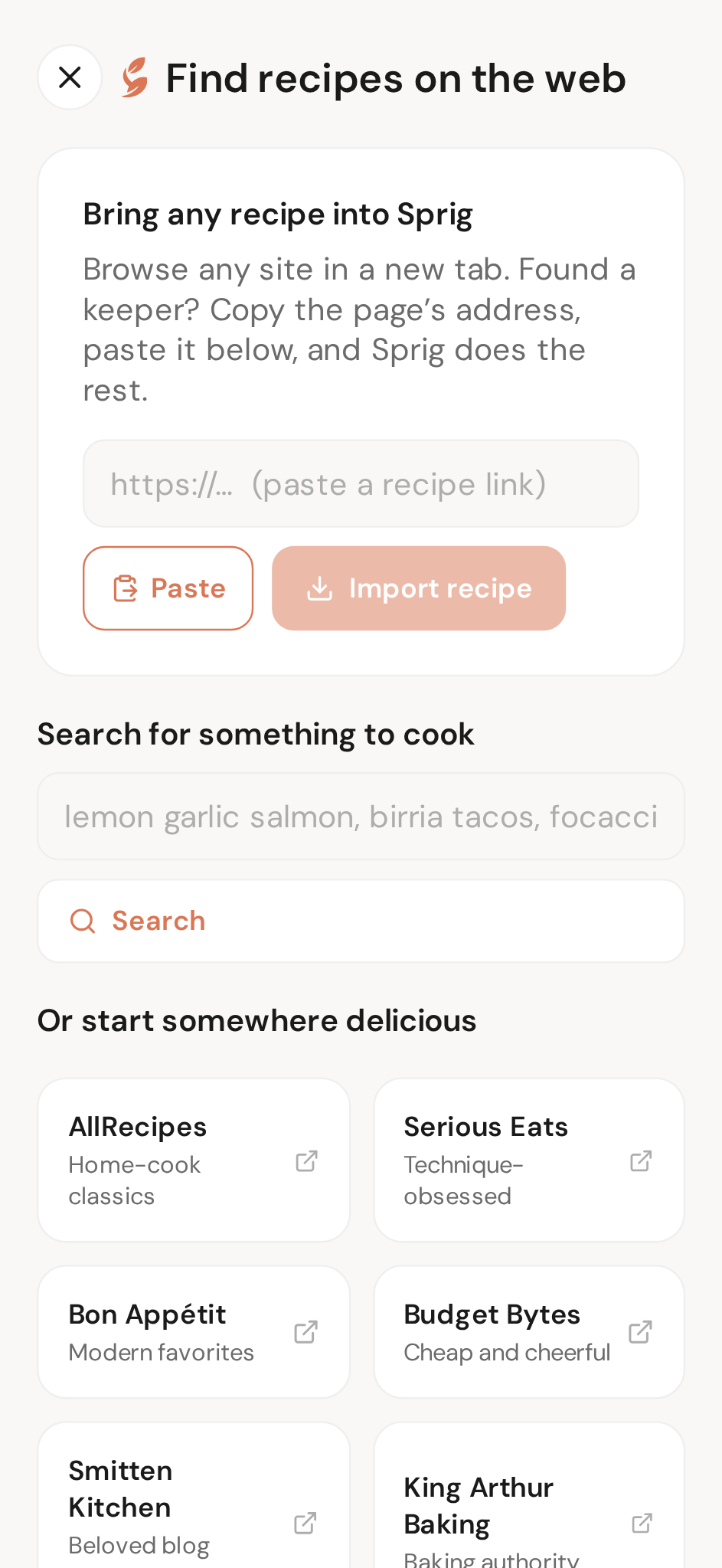
In the phone app, browse your favourite recipe sites inside Sprig, or search the web for a dish right there. When Sprig spots a recipe on the page, the import button lights up — one tap and it's yours. In a browser, paste the link into Import instead.
Tap a picture to zoom
Write your own
Family recipes deserve a good home. Write yours in with groups for ingredients and steps, add a photo — or let Sprig generate one — and it lives alongside everything else.
📍 the create sheet → Custom · open in Sprig →
Tap a picture to zoom
Recipe photo styles
Find it on the You page, under Recipe Photo Style. Standard is our richest, most editorial style; Fast is lighter and quicker — and the page shows the same dishes in both so you can judge for yourself.
📍 You page → Recipe Photo Style · open in Sprig →
Tap a picture to zoom
Recipes in your language
Choose from 12 languages and Sprig writes recipes, tips and chats in yours — Spanish, French, German, Japanese and more. Set it once on the You page.
📍 You page → Recipe Language · open in Sprig →
Tap a picture to zoom
Share to Sprig from another app
Found a recipe in Safari, Instagram or your photos? Use your phone's Share button and pick Sprig. The page or picture goes straight into an import — no copying links, no switching apps first. It's the fastest way to save something you stumbled on.
Nothing in this chapter matches — try the Handbook search.
Made with Sprig
Create was created in Sprig — the AI chef that turns any craving into a complete recipe, plans your week, and shops with one smart list.